AdMobAds Pro
Follow this guide to get the best out of Unreal Engine 5 plugin AdMob Ads Pro.
Fab Link:
Video Tutorials:
The AdMobAds Pro plugin supports Android and IOS!!!
1. Get Started
Enable the AdMobAds Pro plugin.

Choose a platform: Android or iOS.

Insert the actual App ID. You may find the AdMob App ID in your personal account on the AdMob page:
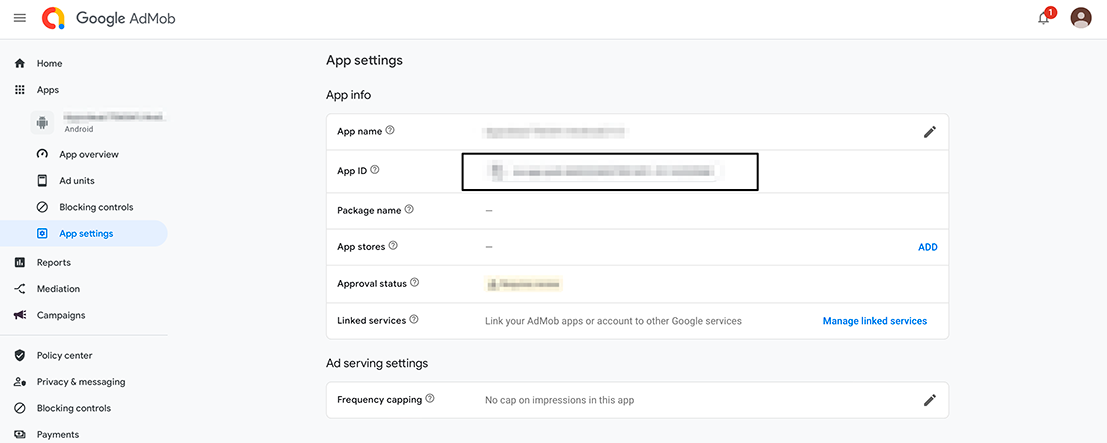
Copy the App ID and paste it in AdMob App ID:
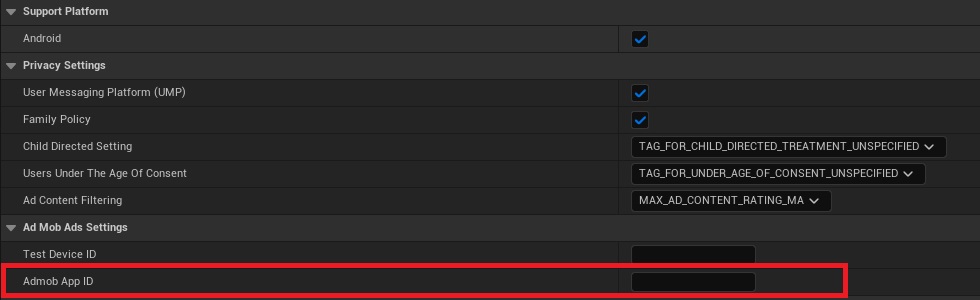
Test AdMob ID: ca-app-pub-3434176418207563~9570003458
If you are using Android compilation, you need to manually enter the AdMob version you want to use.
For iOS compilation, the plugin supports the following version by default: 13.0.0
Insert the current release version of AdMob.

View the latest version of the plugin:
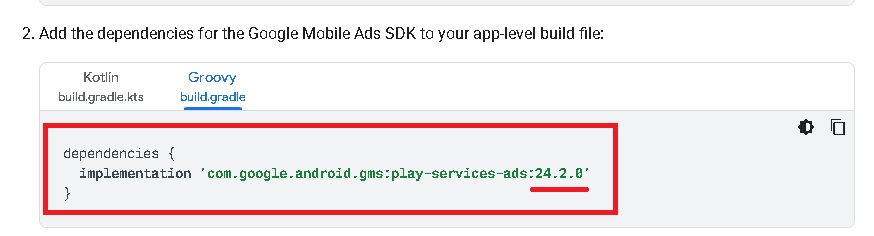
The correct release version: 22.6.0
I recommend adding your test device to the AdMob website:
UnrealEngine 5 Bug: Check your DefaultEngine.ini (ProjectName\Config\DefaultEngine.ini)!!!
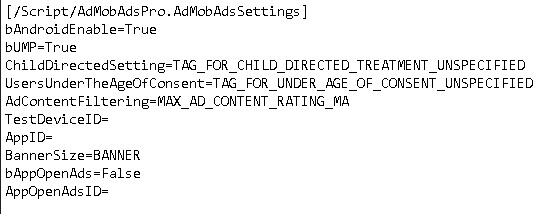
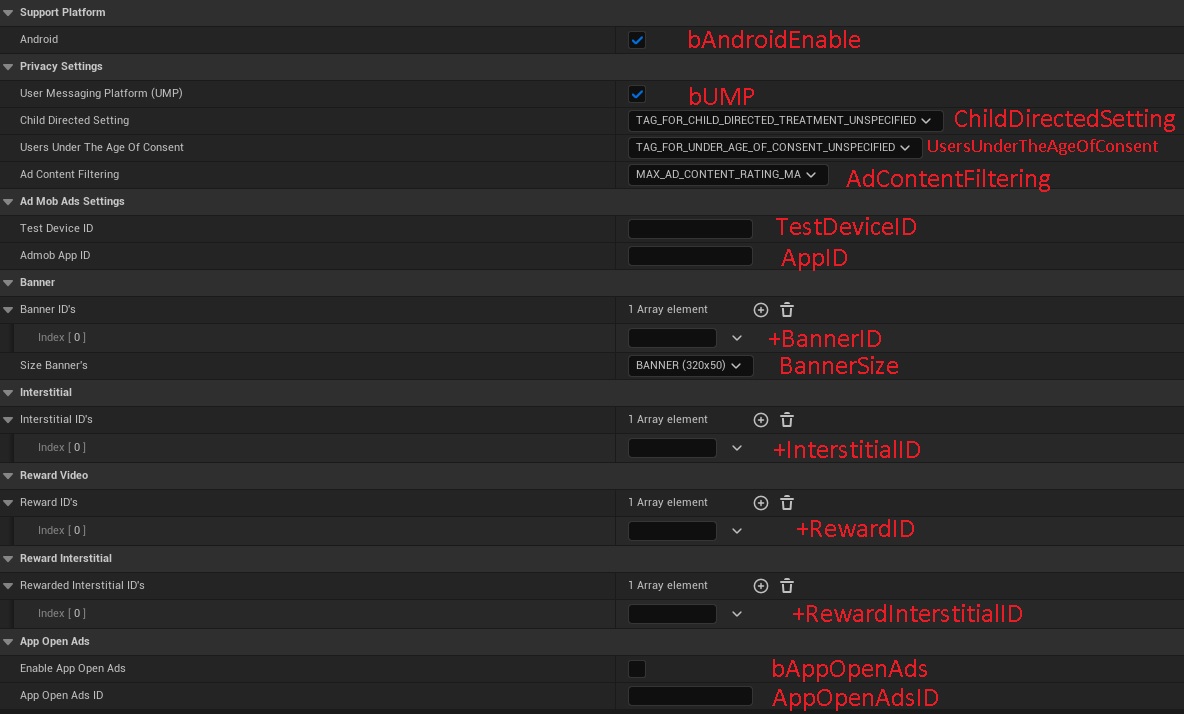
If the [/Script/AdMobAdsPro.AdMobAdsSettings] section has not been created, then create it yourself:
[/Script/AdMobAdsPro.AdMobAdsSettings]
bAndroidEnable=True
bUMP=True
UMPReleaseVersion=3.1.0
ChildDirectedSetting=TAG_FOR_CHILD_DIRECTED_TREATMENT_UNSPECIFIED
UsersUnderTheAgeOfConsent=TAG_FOR_UNDER_AGE_OF_CONSENT_UNSPECIFIED
AdContentFiltering=MAX_AD_CONTENT_RATING_MA
bAutoInitialization=True
TestDeviceID=
AppID=
AdmobReleaseVersion=
BannerSize=BANNER
bAppOpenAds=False
AppOpenAdsID=
bMediationEnable=True
bApplovinEnable=True
bApplovinChangeEnable=False
ApplovinReleaseVersion=13.2.0.0
bChartboostEnable=True
ChartboostReleaseVersion=9.6.1.0
bDTExchangeEnable=True
DTExchangeReleaseVersion=8.2.6.0
bIronSourceEnable=True
bIronSourceChangeEnable=False
IronSourceReleaseVersion=7.8.1.1
bLiftoffMonetizeEnable=True
LiftoffMonetizeReleaseVersion=7.1.0.0
bLINEAdsNetworkEnable=True
LINEAdsNetworkReleaseVersion=2.7.20240214.0
bMaioEnable=True
MaioReleaseVersion=2.0.3.0
bMetaEnable=True
MetaReleaseVersion=6.16.0.0
bMintegralEnable=True
MintegralReleaseVersion=16.6.51.0
bMolocoEnable=True
MolocoReleaseVersion=3.5.0.0
bmyTargetEnable=True
myTargetReleaseVersion=5.20.0.0
bPangleEnable=True
bPangleChangeEnable=False
PangleReleaseVersion=5.8.0.7.0
bUnityAdsEnable=True
UnityAdsMediationReleaseVersion=4.9.3.0
UnityAdsReleaseVersion=4.9.3
Warning! If you want to use UE5.3 and use a version of AdMob greater than 22.6.0:
If you are using UE 5.3, replace Android Gradle 7.5-all "gradle-7.5-all" with Android Gradle 8.7-all "gradle-8.7-all" in the file: \UE_5.3\Engine\Build\Android\Java\gradle\gradle\wrapper\gradle-wrapper.properties
1.1 UMP
The Google User Messaging Platform (UMP) SDK is a privacy and messaging tool to help you manage privacy choices.
To connect UMP, enable it in the plugin settings.
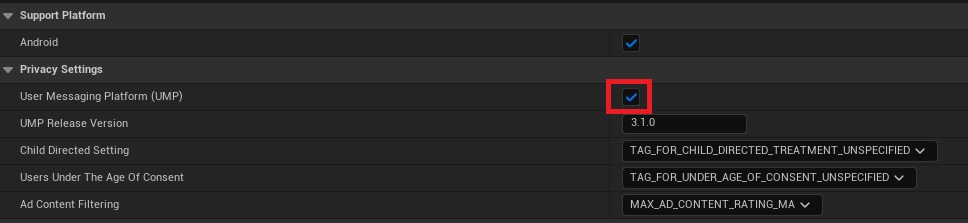
Insert the current release version of UMP.
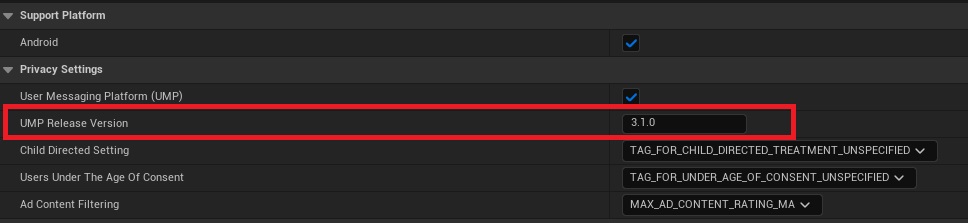
View the latest version of the plugin:
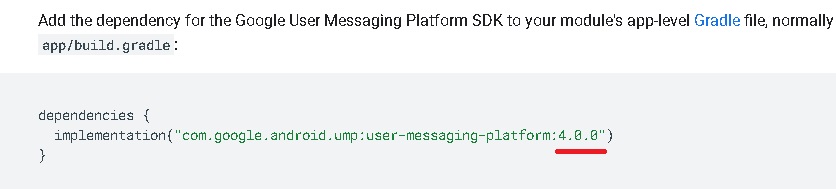
The correct release version: 3.1.0
1.2 Initialization
If you do not want to initialize AdMob yourself when starting the game, then check the box.

If you need to manually initialize AdMob, use the "VG AdMob Initialization" function.
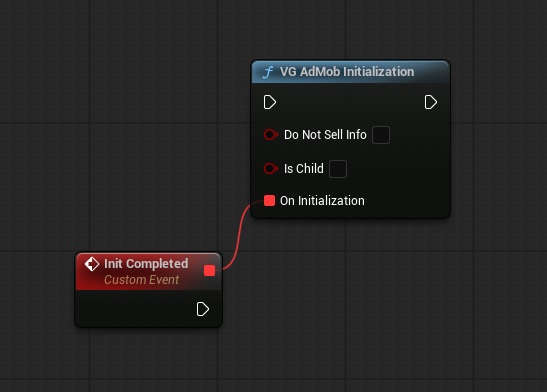
The "Do Not Sale Info" and "Is Child" flags are only used when AdMob mediation is enabled! If you do not use mediation, you do not need to check the boxes.
"Do Not Sale Info":
US states privacy laws require giving users the right to opt out of the "sale" of their "personal information" (as the law defines those terms), with the opt-out offered through a prominent "Do Not Sell My Personal Information" link on the "selling" party's homepage.
AdMob includes the "Do Not Sale Info" flag to let publishers opt out of the sale of personal information.
By default, "Do Not Sale Info" = false in the automatic initialization!!!
"Is Child":
If you know that your user is under the age of 16, then check the box.
By default, "Is Child" = false in the automatic initialization!!!
2. Banner Ads
Banner ads are rectangular ads that occupy a portion of an app's layout.
Test ID: ca-app-pub-3940256099942544/9214589741
Copy the Banner ID and paste:

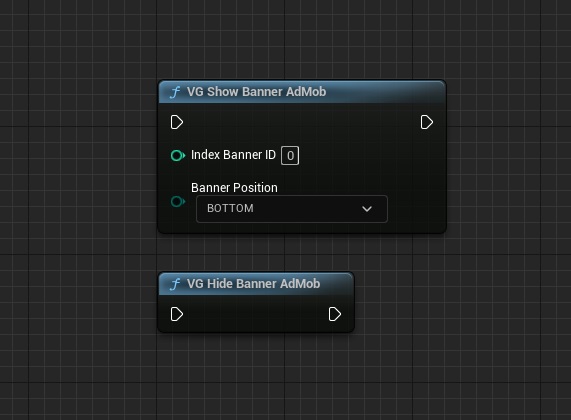
Show and Hide the Banner:
3. Interstitial Ads
Interstitial ads are full-screen ads that cover the interface of their host app.
Test ID: ca-app-pub-3940256099942544/1033173712
Copy the Interstitial ID and paste:

Load Interstitial Ad:
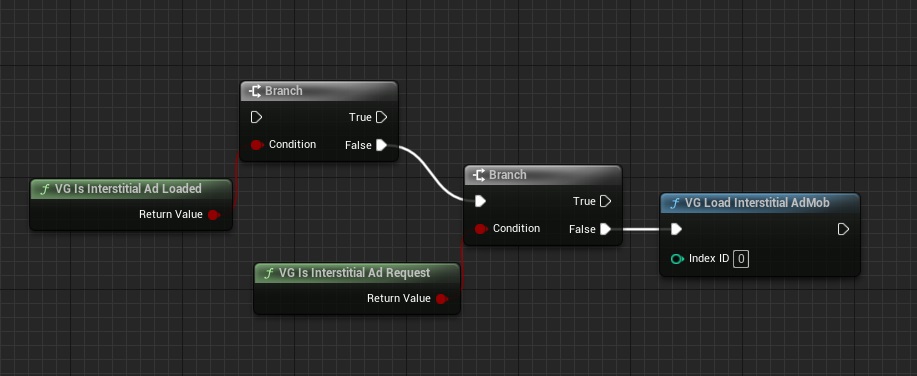
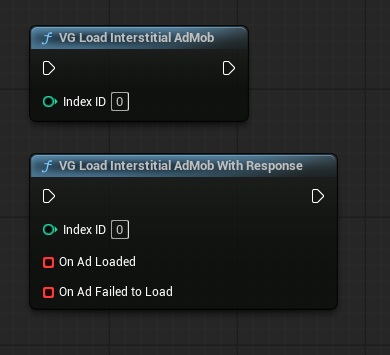
Show Interstitial Ad:
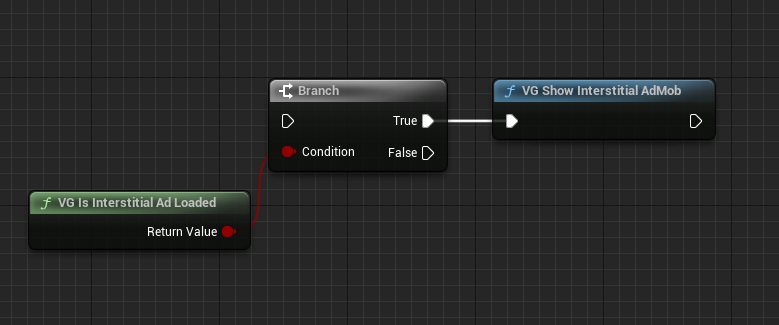
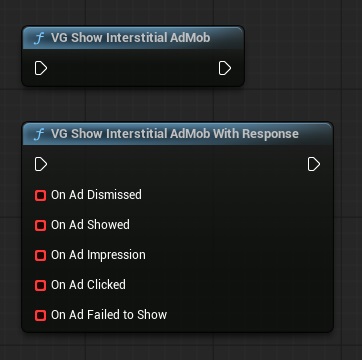
4. Rewarded Ads
Rewarded ads allow you to reward users with in-app items for interacting with video ads, playable ads, and surveys.
Test ID: ca-app-pub-3940256099942544/5224354917
Copy the Rewarded ID and paste:

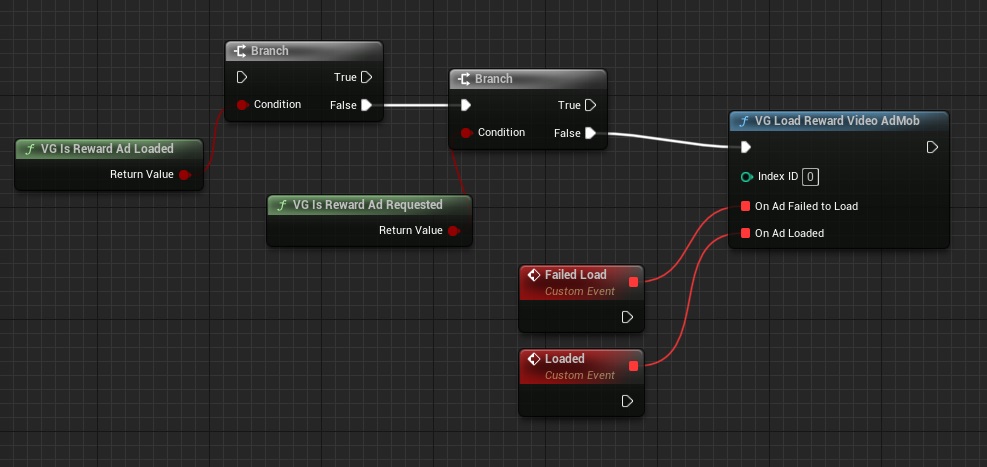
Load Rewarded Ad:
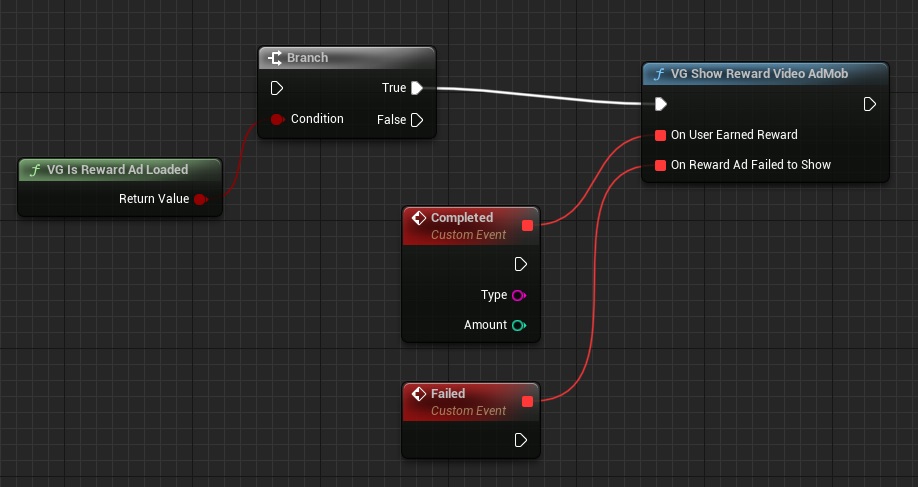
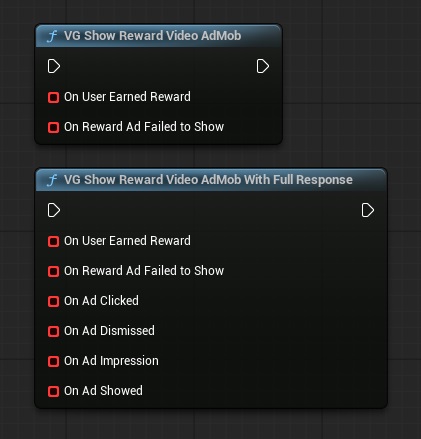
Show Rewarded Ad:
5. Rewarded Interstitial Ads
Rewarded interstitial is a type of incentivized ad format that lets you offer rewards for ads that appear automatically during natural app transitions.
Test ID: ca-app-pub-3940256099942544/5354046379
Copy the Rewarded Interstitial ID and paste:

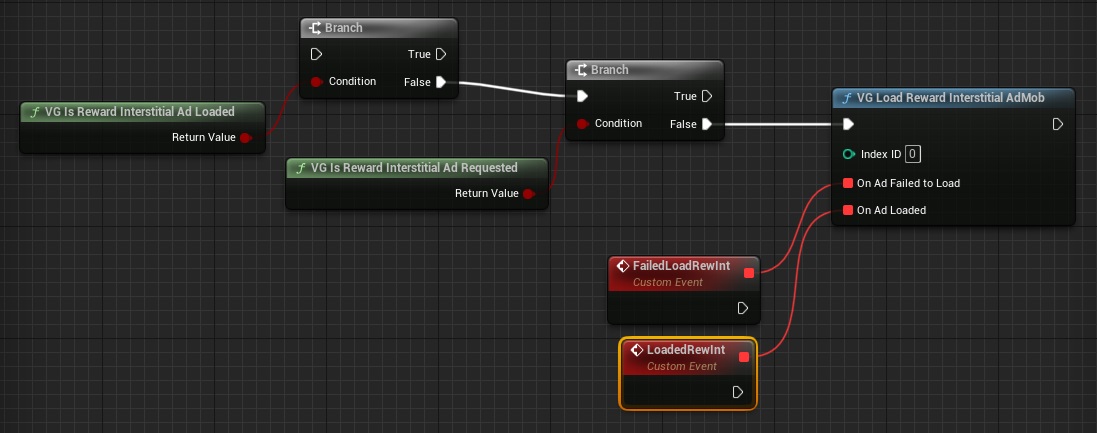
Load Rewarded Interstitial Ad:
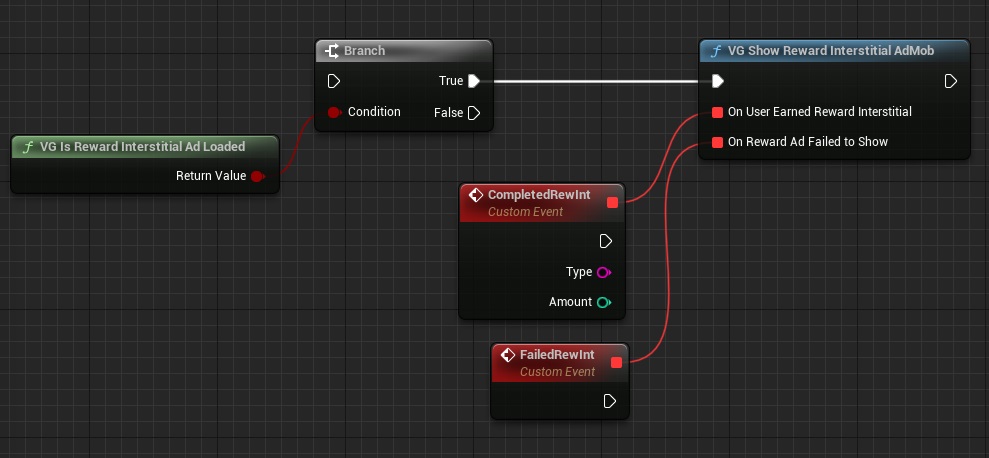
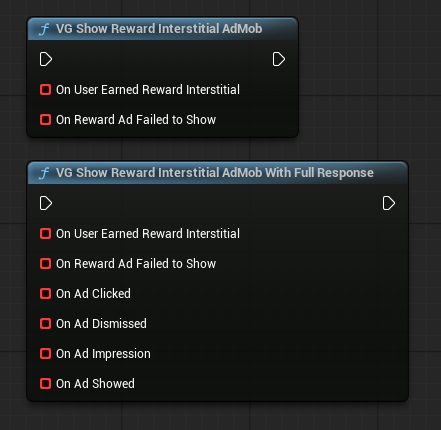
Show Rewarded Interstitial Ad:
6. App Open Ads

App open ads are a special ad format intended for publishers wishing to monetize their app load screens.
Test ID: ca-app-pub-3940256099942544/9257395921
Enable the App Open Ads! Copy the App Open ID and paste:

7. Mediation
AdMob Mediation is a feature that lets you serve ads to your apps from multiple sources, including the AdMob Network and third-party ad sources, in one place. AdMob Mediation helps maximize your fill rate and increase your monetization by sending ad requests to multiple networks to verify you find the best available network to serve ads.
To enable Mediation, check the "AdMob Mediation" box:

Check the boxes next to the networks you want to use:
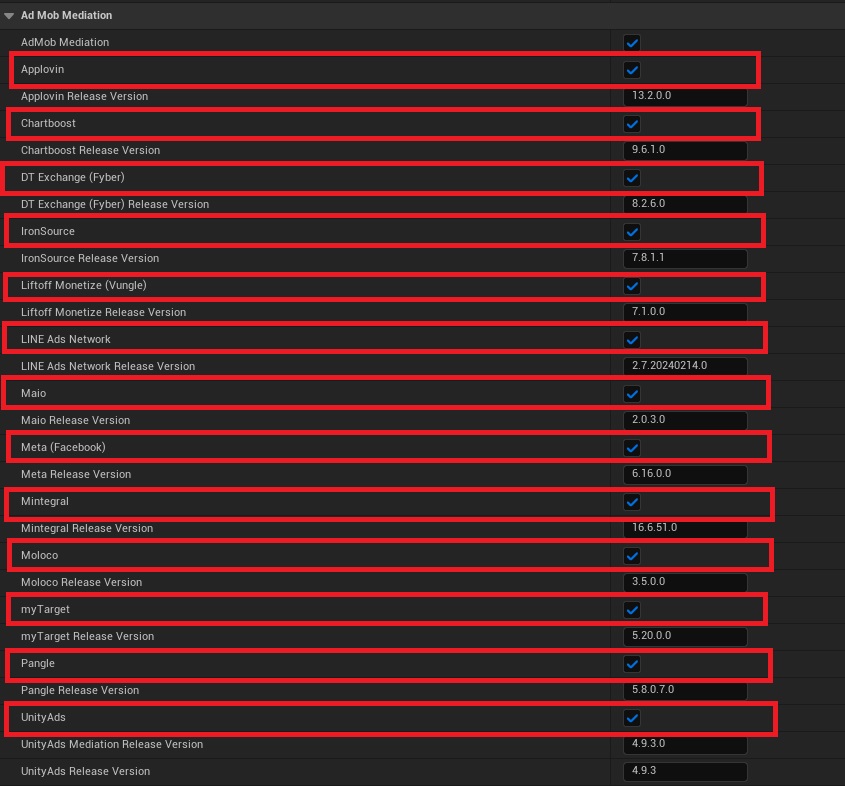
Set up each network in AdMob:
Integrate partner networks:
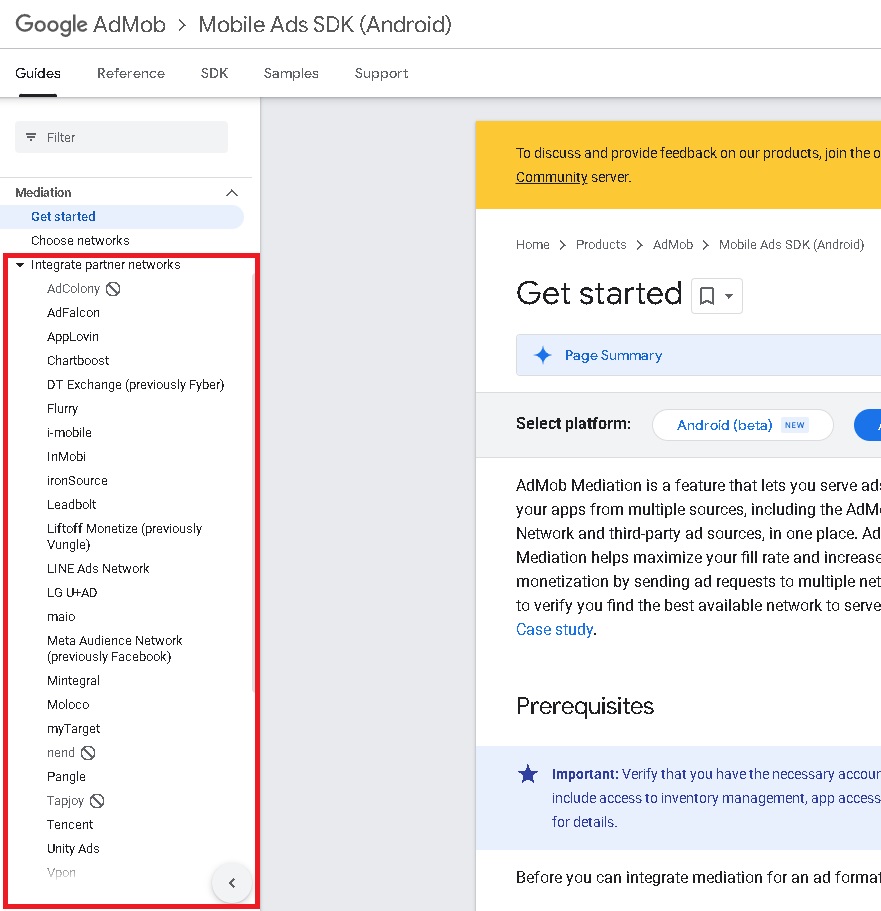
After configuring the network, insert the correct network adapter version for your AdMob version.

Example Applovin:
Applovin Adapter Version:
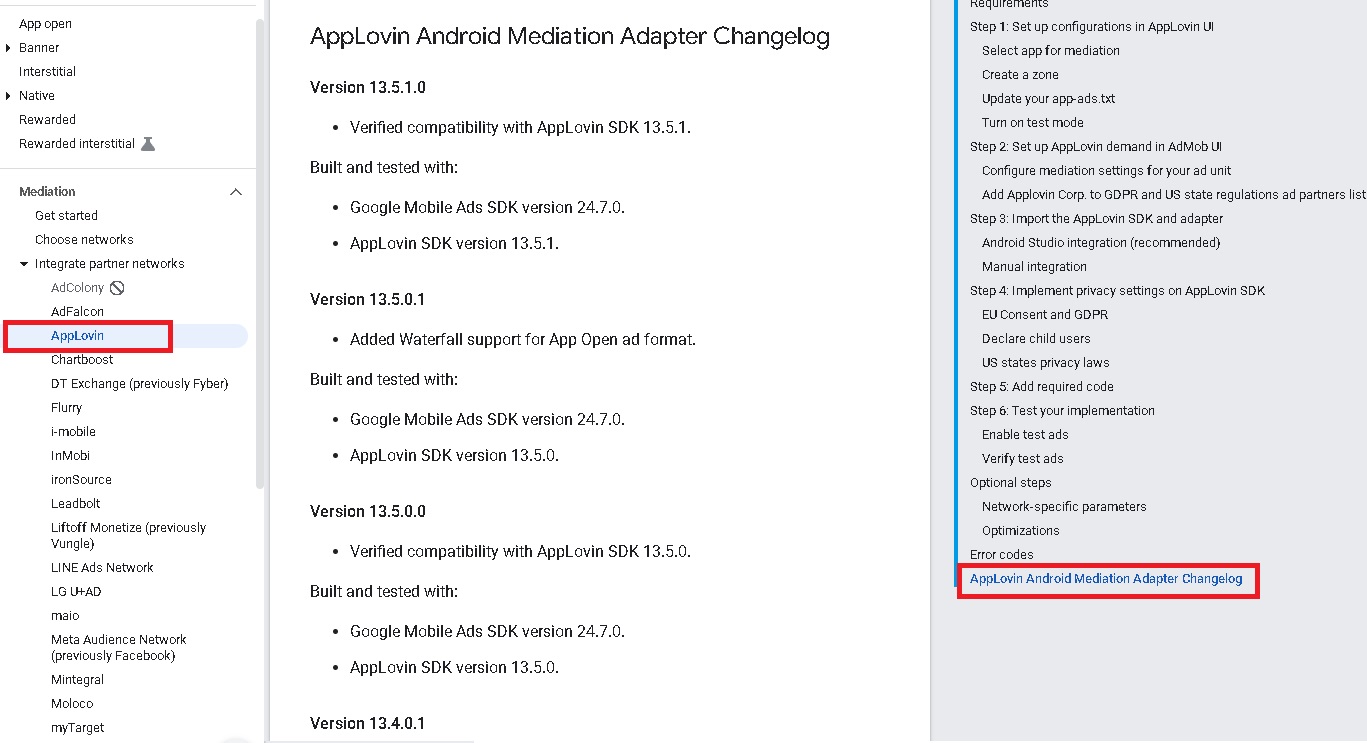
If you are using AdMob Release Version 22.6.0, then choose the Applovin version 12.3.0.0
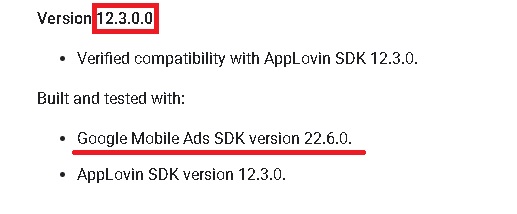

Release Version for Android:
Other
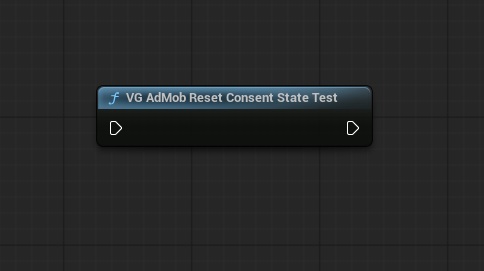
When testing your app with the UMP, you might find it helpful to reset the state of the SDK so that you can simulate a user's first install experience. The AdMob Ads Pro provides the "VG AdMob Reset Consent State Test" method to do this.
Support Plugin
If you have any questions or concerns about AdMob Ads Pro, please contact us with title "AdMobAdsPro question":
Email: volihan.designer@gmail.com